
REMOTE OPERATION FOR COMPANY-OWNED EQUIPMENT
Your equipment. Your people. Any location.
Phaero puts the right employee at the right workstation, wherever they are. Operate equipment at any of your sites in real time, with live video, full keyboard and mouse control, and your team on site every step of the way.
A remote operator requests a session. Someone on site approves it, then the operator sees the workstation and different live station camera views.
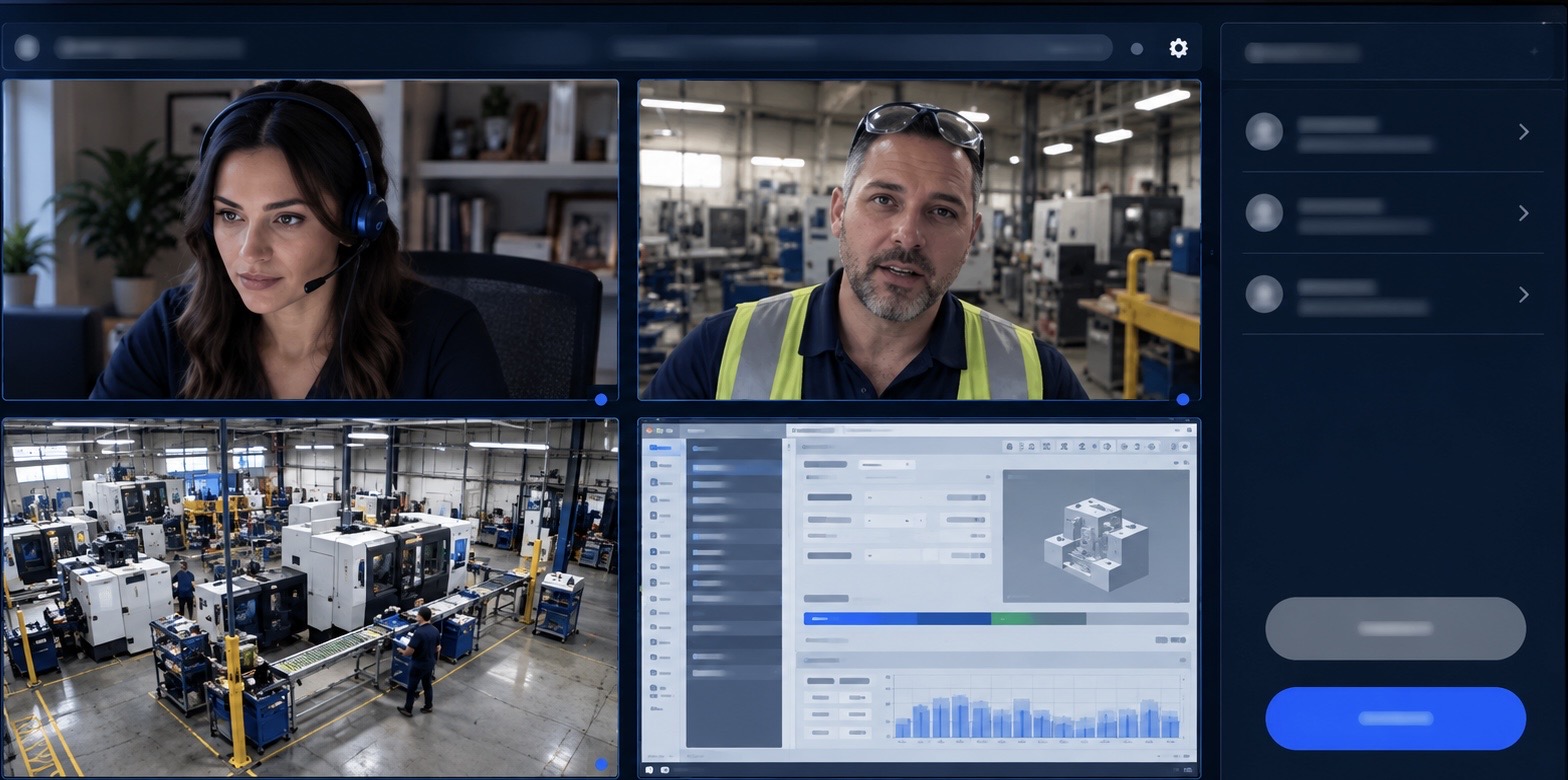
- Live screen, live video, live voice
- Your own employees, by invitation
- On-site approval on every session
Talent should not be limited by geography.
Skilled people are not always where the work is. Phaero closes that gap. Your employees work on your equipment at any of your locations as if they were sitting in front of it, while the people on site stay in the loop.
Real-time control
See the workstation screen and operate it with mouse and keyboard, with video and voice alongside.
Built for teams
Bring a colleague or specialist into the same session to watch, advise and help.
Your rules
Access is granted person by person and can be removed at any moment.

Close staffing gaps. Open new roles. Respond faster.
For any work that needs someone at the computer, Phaero brings your people to the work, wherever they are.
- Covering staffing shortages
- Bring a qualified employee from another site into a session when a team needs support.
- Creating remote roles
- Give your people the flexibility to work from wherever they are.
- Responding to equipment problems
- Let an authorized employee see what is happening and respond in real time.
- Getting expert help to a station
- A specialist can join, watch and advise alongside the operator.
- Sharing a specialist across sites
- Bring the right expertise to each location without travel.
The company decides who gets in.
- Accounts by invitation
No public sign-up. Every person is invited by your administrator.
- Access set per person
On site, remote operator, or view-only guest. Each person gets only what you give them.
- On-site approval
A person at the station approves every remote session before it starts.
- Revoke at any moment
Remove someone mid-session and their access to the workstation stops.
- Cameras and microphone are announced
Everyone is told before a session starts, and a notice stays on screen while it runs.
- A record of every session
An audit log shows who joined which station and when.
- No workstation installation
Operate through Phaero without installing software on the workstation.
- Access ends with the session
Exiting closes the call and ends access.
Technology only.
Phaero does not provide, hire or manage workers. Your own employees operate your own equipment, and Phaero is the connection between them.
Questions about Phaero: Support@phaerotechnologies.com